A bit more on Twine and scaffolding my way through frustration
This part of a project is usually the most frustrating hurdle for me to get over -- when I don't yet have a clearly-defined systematic workflow for my process. I still find myself doing a fair bit of vacant clicking around in a way that I know is very inefficient, which, in turn, is hard to stomach when I know I've got a firm deadline of late April to get the Toy Theatre Kit in at least basic operating condition. One of my major challenges is that I still don't have a kind of fluency established for Decker, both in terms of its basic functionality and under the hood with the Lil scripting language. It's painful, at times, to have a clear concept of what I want to do within the system--for example, allow a user to populate one card with draggable versions of canvases from a previous card--but still know that I'm missing an integral 5-15% of understanding how to actually implement that goal.
The good news is that I've felt this frustration before--especially in the first couple years of learning these constrained digital tools--and I now have the resiliency to push through it. These systems, tools, syntaxes, workflows... they're all learnable. I just need patience, time management, and scaffolding.
Twine is serving as my scaffolding here. As I mentioned in my previous post, one of the frustrations I've encountered using Decker is that I'm having trouble conceptualizing the networked nature of my deck. The Pollock's toy theatre catalogue that I'm pulling from has dozens of plays to choose from, each of which has their own sheets of characters, set dressing, and props. To facilitate a player dipping into one of these plays, picking a character or two, and dipping into another one, my deck can't move linearly--there needs to be a hub-and-spoke style organizational system to the hypermedia. I find that the drop-down linear menu of Decker's cards obfuscates this networked intention.
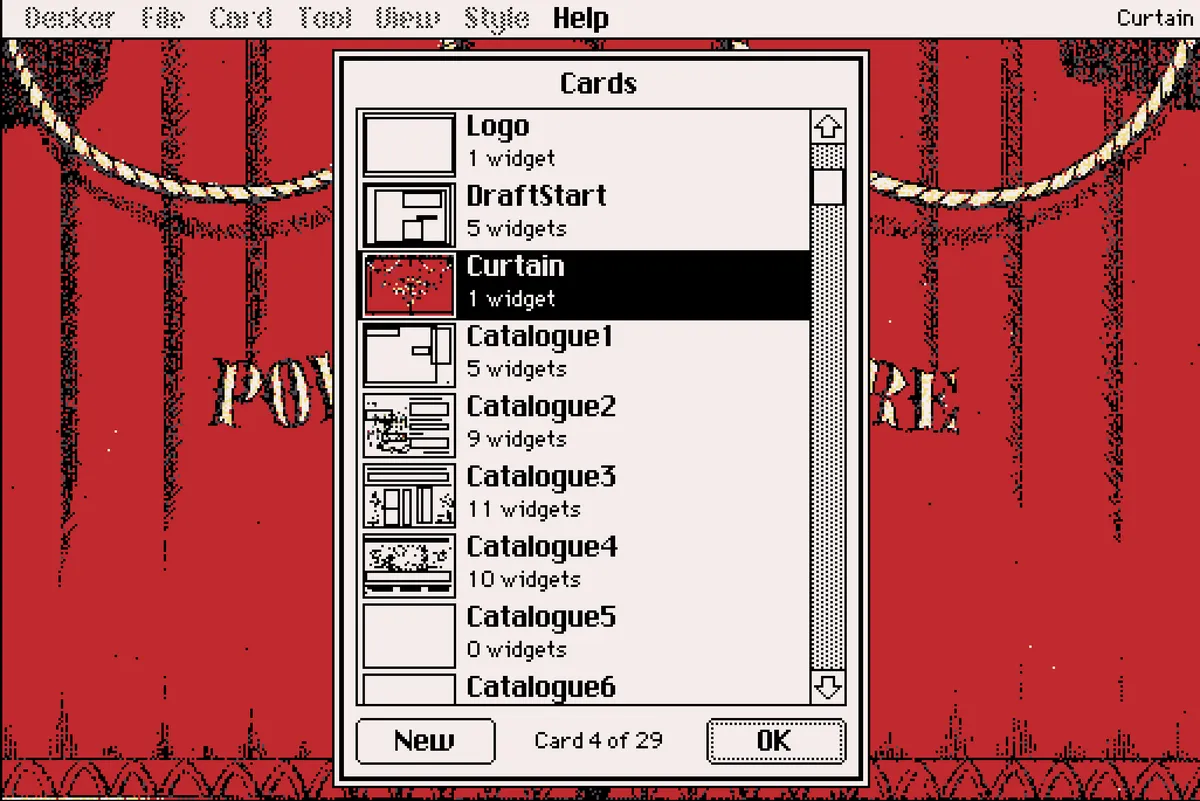
To be clear, I understand why this limitation is baked into Decker -- John Earnest is working with very specific constraints that keeps decks self contained and resource efficient, so including an embedded Twine-like map system doesn't fit with Decker's affordances. But I can also see how Earnest himself has to break with this linear affordance, just a little bit, for pedagogical purposes in Decker's documentation. In Earnest's "A Multimedia Sketchpad" post on the Decker blog, he also makes use of a networked visualization of Decker cards to clarify the tool's navigational structure to new users:
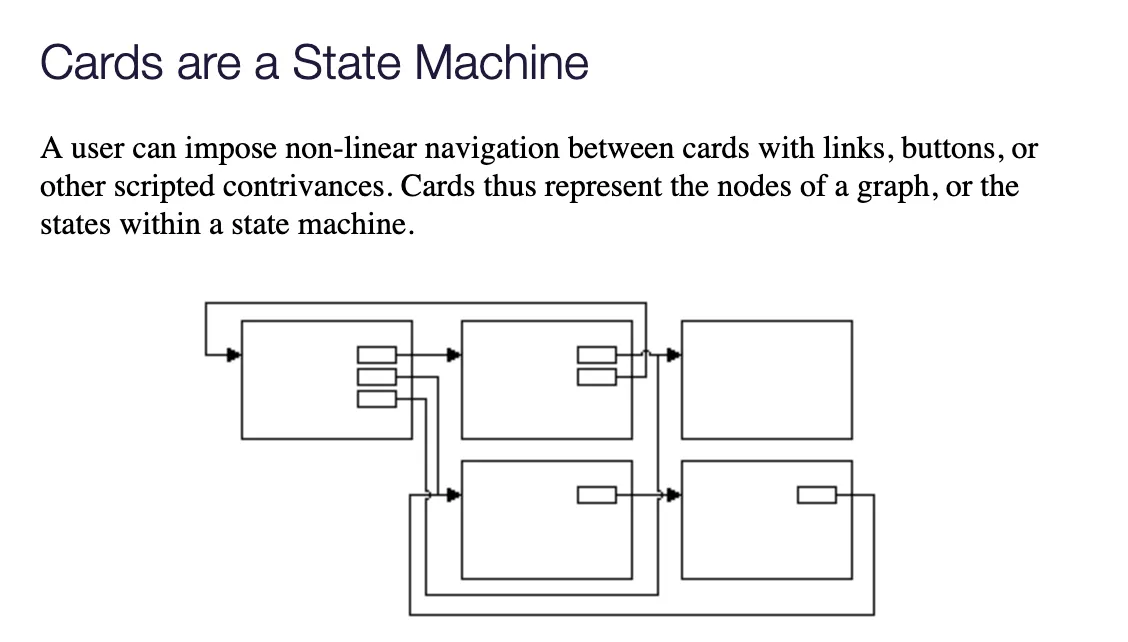
When I came across the above image, it clarified something in my brain. Thus far in the project, I've given myself an overly restrictive constraint in housing all of my organizational structure within Decker, a tool that, in itself, I'm still test driving as a novice. This has split my attention unproductively--it's not helpful to build scaffolding with unfamiliar materials. And thus, the return to Twine for its network visualization.
My actual use of Twine isn't worth much detail here, as I'm mostly just using the internal mapping function as a digital version of post-it notes on a whiteboard. Each card of my Decker deck corresponds with a similarly named Twine passage. The text on those passages is filled just enough for me to keep straight the contents of each corresponding card, and the Twine passage links are purely to help generate the map's linking arrows on the visualization.
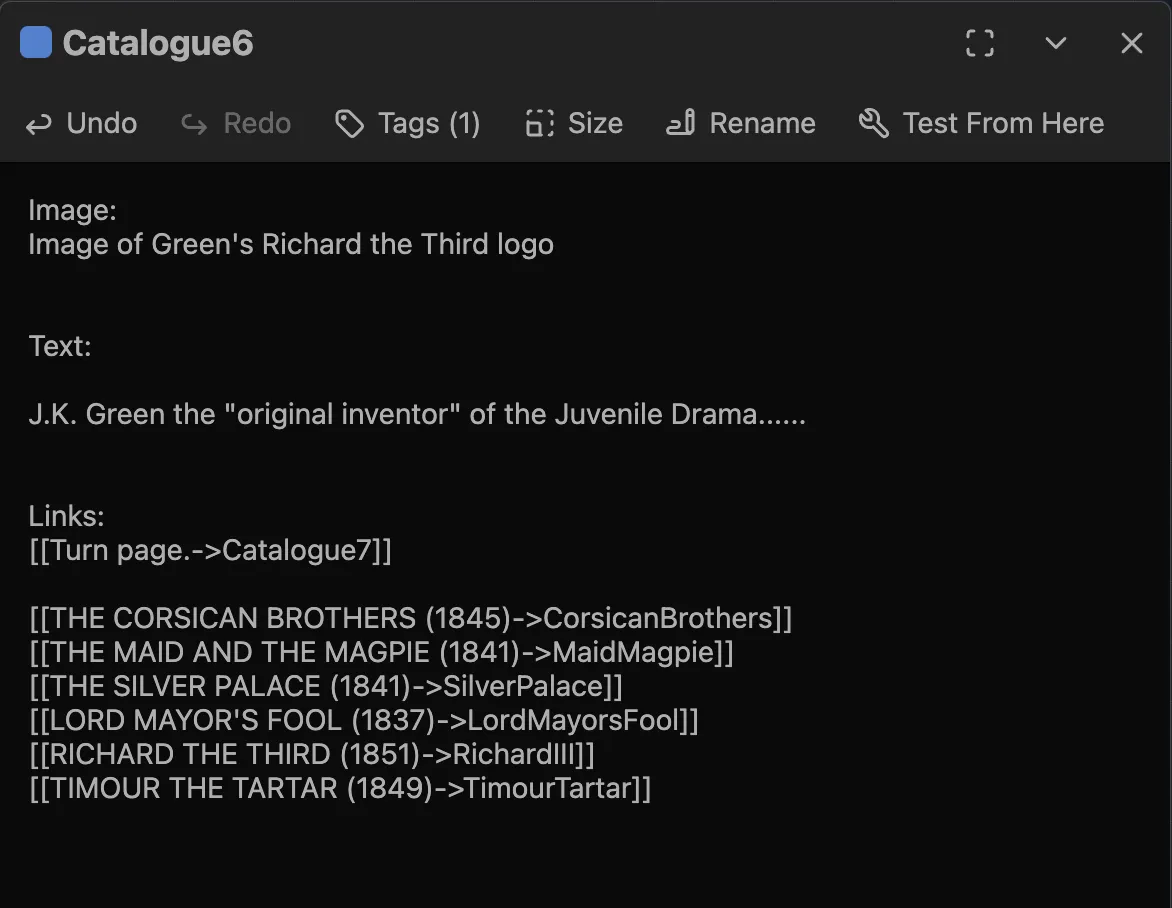
In the rare chance that I decide to formalize a relationship between my Twine map and the Decker prototype, I'm using Earnest's Ply Story Format for Twine. I don't envision actually needing to implement any integration between the Twine map (which is literally just a visualization for my own sake) and the actual Decker prototype...... but, if that changes, at least I won't have a whole swath of incompatible Twine grammar to repair down the road...